
How I use a calendar to work better
Author: Mukund Shyam
Published on: 23 07 2023
A to-do list and a calendar are two tools that are integral to my workflow. Both are equally important, with each occupying a slightly different role in my life.
Ask any productivity YouTuber and they’ll tell you that a calendar and to-do list app will instantly improve the way you work (and I tend to agree with this sentiment, for the most part), especially if you have to balance many aspects of your life. I think that using a calendar and to-do list will probably be most valuable to working professionals and students in high school and college (but other people will benefit heavily from them too!).
Thanks for reading Internalize! Subscribe for free to receive new posts and support my work.
Anyway, I wanted to talk about how I use a to-do list and calendar application to work better, and some traps you should avoid falling into to make the most of these two tools.
To-do lists
A to-do list serves one main function: to store information about the tasks you have to do and when you have to do them. Some of them have some extra features (like files that are attached to particular tasks, specific reminders you can customize, or repeated tasks), but the main aim of a to-do list is to be a hub for all the tasks that the user needs to complete. It serves to remove the burden of remembering what to do, keeping your mental bandwidth just for the tasks themselves.
Using a to-do list is honestly fairly straightforward. I don’t even know if I have to say this, but you just have to add the tasks you need to do to the app you choose to use (or in the case of a physical to-do list, to your notebook!).
One of the main traps I’ve noticed people fall into when using to-do lists (from personal experience) is that they don’t really have full coverage over all the tasks they need to do. Believe me, I used to do this too, but much of the value of to-do lists are lost when you still have to remember tasks you need to do. The main point of a to-do list is to take away the burden of remembering tasks, letting your brain free up it’s bandwidth to actually do them. By consciously only adding certain kinds of tasks to your to-do list, you’re not using the to-do list to it’s maximum potential.
In a similar boat, I’ve noticed that people (by people, I mean me-from-the-past) take a lot of time to add tasks to the list. A to-do list’s usefulness increases when you reduce the amount of time between realizing that you have a task to do and actually adding it to the to-do list. What I had an issue with is that I’d realize that I had things to do, but I’d take forever to note it down, and therefore I’d forget that the task had to be done in the first place. Inefficiency!
If you intend on using an electronic to-do list, make sure it has cross-platform sync and notifications. Both features are extremely useful! I use Microsoft To-Do, but there are other options as well, like Todoist, Things, and TickTick.
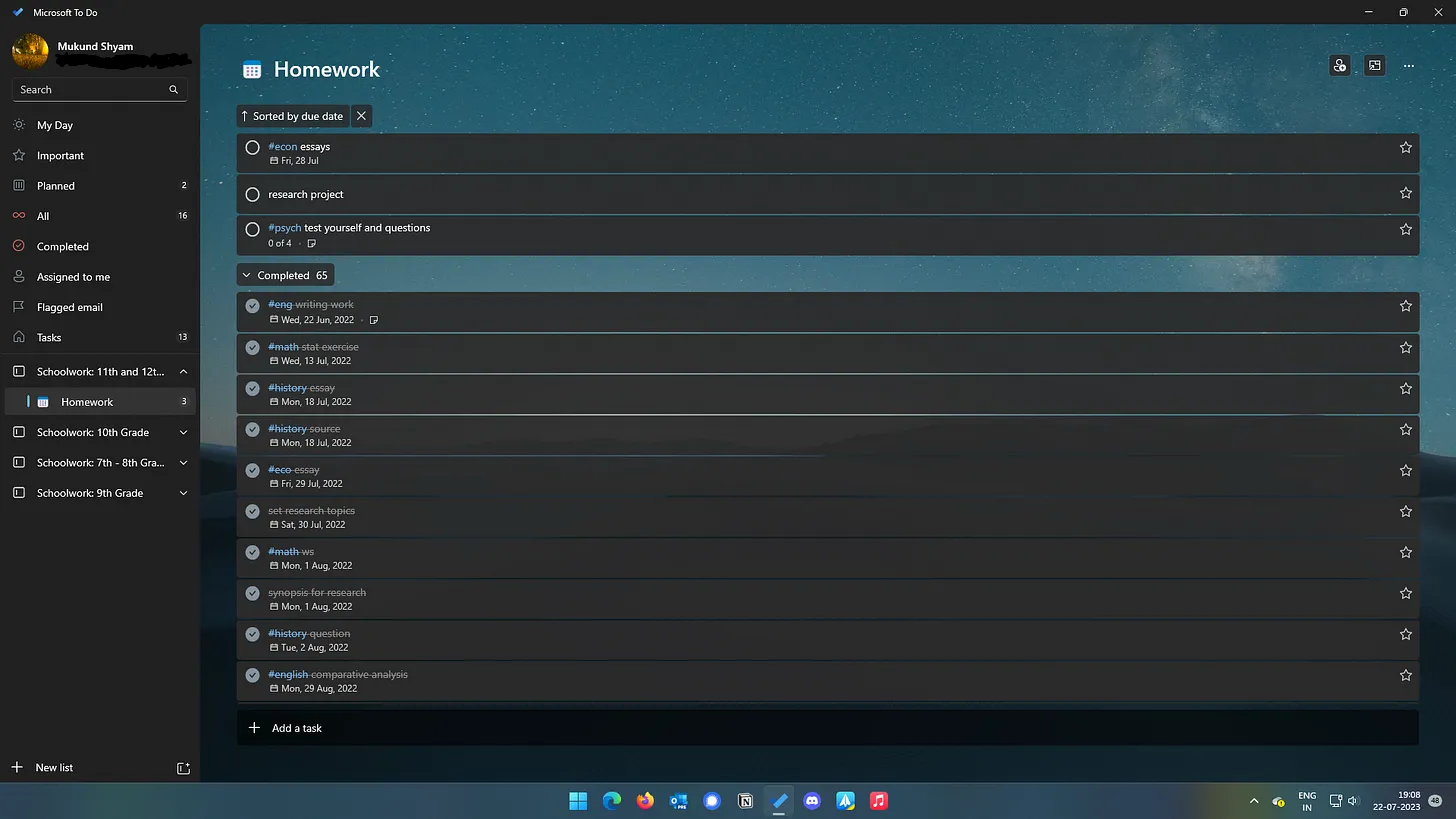
Calendar
A calendar actually serves a similar function to a to-do list: it is meant to remove the task of remembering what to do from your brain, freeing up your mental bandwidth for things that are actually important.
I used to think that calendars were only useful for working professionals, but they’re also useful for other people (especially us students, since we have to balance academics, extracurriculars, and rest).
Basically, a calendar allows you to plan your days and weeks ahead, reducing the time needed to think of what task to do at a particular time.
Using a calendar efficiently isn’t as simple as a to-do list, though, but once you get the hang of it, it’s not that bad! Basically, there are two steps to the process: the first step, in which you figure out what activities you want to do (over the time you’re planning for, whether that’s a week, month, or year). The second step is planning out an efficient way to do all those tasks, after which you just add it to the calendar!
A problem I used to have with using a calendar is the feeling that my days were getting a lot more boring and mundane. While this is a risk with committing to a calendar-based system, you can use it in such a way that the mundaneness is minimized.
The main way to do so is planning ahead for less time. Basically, instead of setting up your calendar for the month ahead, try setting up your calendar for the week ahead or maybe even the coming day. This can help you be more intentional with the things you do while also having variety between your days (at the cost of increased planning time at the start or end of your days).
If you intend on using a physical calendar, try getting a planner book or planner sheets. They (along with coloured pens) make planning out your days really fun!
There are tons of options for online calendars (and you can find some with a simple Google search), but I use Google Calendar, because it’s free, robust, and reliable. Apple Calendar, Outlook Calendar, and Fantastical are great options too.
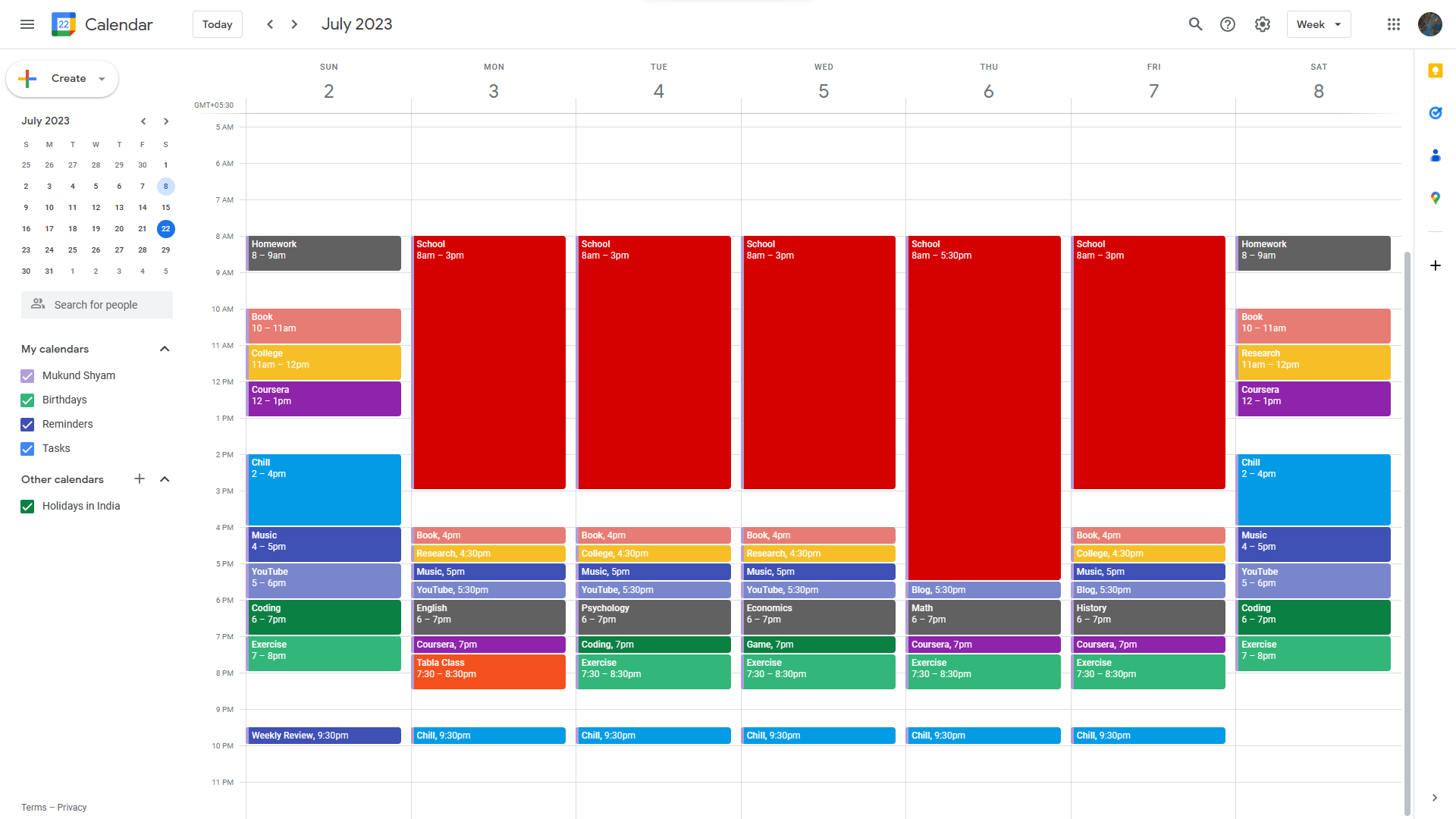
That’s all for this week! Make sure to try to use a calendar or to-do list yourself, and see how it changes your life!
Just a short post this time. Thanks for reading!
Thanks for reading Internalize! Subscribe for free to receive new posts and support my work.