
Logic and Final Cut on the iPad
Author: Mukund Shyam
Published on: 18 06 2023
WWDC this year was filled to the brim with hardware announcements, leaving software and update news to the side.
Apple barely spent any time talking about the iPadOS update, perhaps because most of the event went in talking about the updated Macs (the Mac Pro and Studio), “new” Macs (the 15-inch MacBook Air, basically the exact same as the current M2 MacBook Air model), and of course the star of the show, Apple’s Vision Pro headset.
The super-packed nature of WWDC this year meant that Apple had to announce some new products as press releases right before WWDC. Two of these products were Logic Pro and Final Cut Pro on the iPad (finally!).
I think these two pieces of software are really quite interesting, both in terms of how they’ll be used and their implementation on the iPad.
Let’s talk about it!
Final Cut Pro
Final Cut is easily the more media-covered piece of software of the two and is also perhaps the more interesting of the two apps.
An important question that I had was how Apple would implement a touch-first interface for Final Cut; as much as they hope that people use keyboard cases with the iPad, it is, after all, a tablet and a touch-first device. Editing, as a workflow, has never been well suited to a touch interface (see also: iMovie on iPhone) and seeing how a professional app translates over to a touch interface was a major point of focus for me.
It looks like that was a focus for Apple too! They’ve introduced something reminiscent of the iPod jog-wheel to the application, and that serves a bunch of functions: from scrubbing through footage to trimming and nudging clips. This does solve (at least at first glance) the issues that may have arisen from directly porting over a Mac app to iPad.
Since this is an Apple app, it has Apple’s signature ecosystem features; like iMovie import and movement from iPad to Mac.
There is a cool iPad-specific feature, too: live drawing! Basically, Final Cut will allow you to draw on a clip using your Apple Pencil, and it’ll record it as an animated title, which is really really cool!
One unanswered question I have is plugin support: plugins are a huge part of the Final Cut workflow on Mac, and it’s interesting to see whether there are any plugins for the iPad version. I guess what Apple’s banking on is you not needing any plugins at all, given that Final Cut has all the features you need… let’s see.
Logic Pro
Logic Pro usually plays second-fiddle to Final Cut in the media, but it’s no slouch: on the Mac, it’s one of the industry-standard DAWs and is known for being extremely great value for money and having rich stock plugins and virtual instruments.
I feel like Logic is a lot more suited to the touch workflow than Final Cut; music production really benefits from a touch surface, and Apple has known this for a while, given that they’ve made a whole iPad app meant to just help you control Logic on your Mac.
The touch interface sort of removes the need for a MIDI keyboard (to an extent) since you can just play keyboards on the display (like you could for a long time on Garageband).
Again, you have Apple specific features, like Garageband project import and Mac cross compatibility. Also, the use of the Pencil is also pretty cool: you can draw super-detailed automation and stuff with it!
It also looks like Logic’s reputation for having every plugin you need in the box carries over, with a super extensive sound library and some pretty nice built-in plugins. Logic, unlike Final Cut (at least as far as we know) supports third-party plugins with the Audio Unit extension. You’ll have to download apps that have plugins in them from the App Store to use them (the same way you add AU plugins to Garageband).
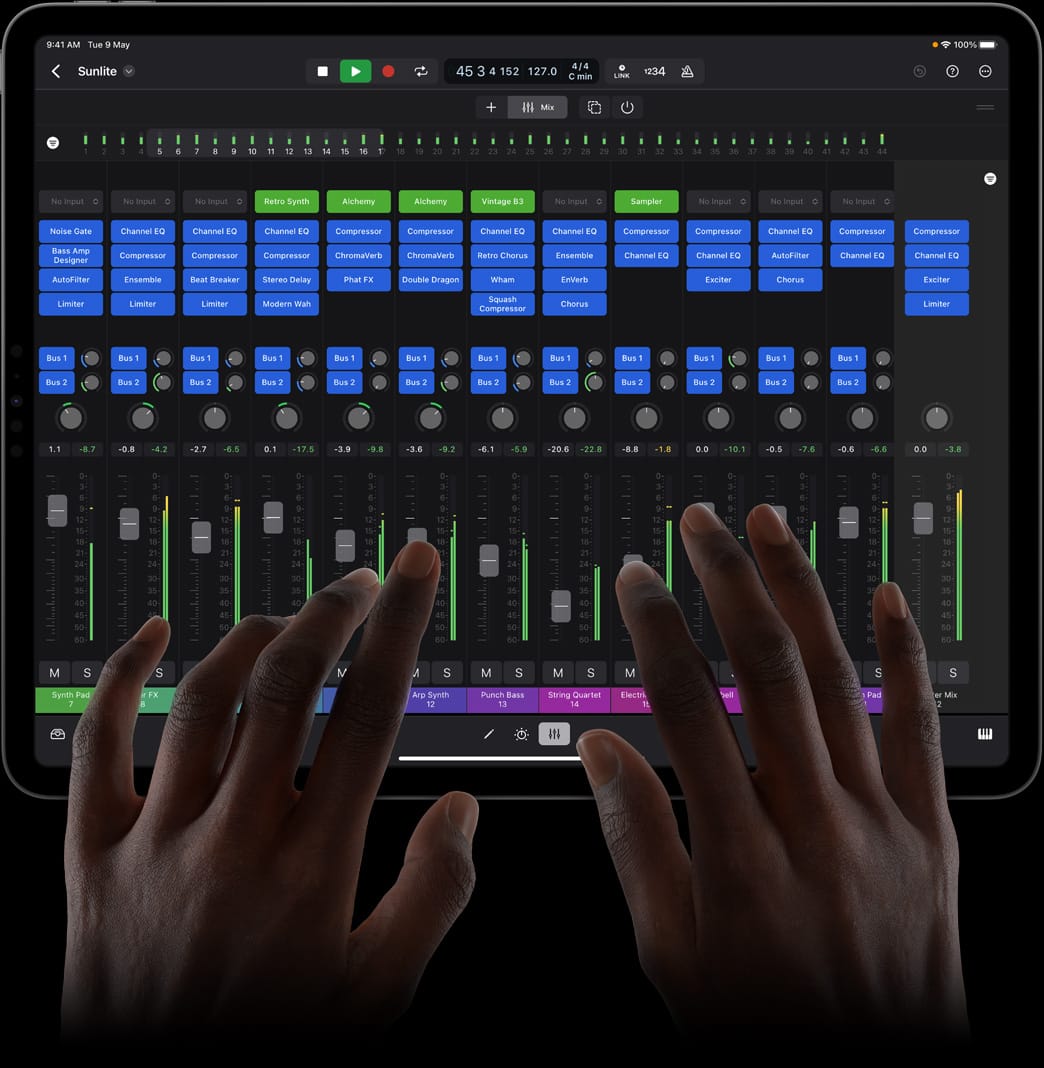
Touch also allows for super intuitive mixing, and that’s something that gets me really excited for Logic on iPad.
Who is this for?
Honestly, I’m a lot more excited for Logic than Final Cut on the iPad. Firstly, you don’t need an M-series iPad to run Logic, and the music-production workflow seems a lot more suited to touch than the video-editing one.
These apps will most likely be useful for creatives who travel a lot; it enables them to take just an iPad wherever they go without needing a laptop to actually make stuff.
The iPad really reduces the friction between having an idea and making it reality, and that’s really powerful.
Unfortunately, Apple has made it a subscription service, charging $5 a month to use… which is pretty sad.
But I’m excited! I really want to try out Logic!
Thanks for reading! A short post today since I didn’t really have much time to write a very long one!